
Reviews and Feedback
Value disproportion regarding bonus and earnings

It has great games good way to pass your time

I don’t like that you can chat with a human agent. I like the platform fun to play on

ज्यादातर JILI स्लॉट्स मोबाइल पर अच्छे चलते हैं। एक बार डिस्कनेक्ट हुआ, लेकिन बैलेंस तुरंत ठीक कर दिया गया।

अधिकांश क्रिकेट मैचों पर ऑड्स ठीक हैं। अन्य साइटों पर बेहतर मार्जिन मिलते हैं, लेकिन छोटे दांव के लिए यह प्लेटफॉर्म ठीक है।
साइट का लेआउट थोड़ा भरा हुआ है, लेकिन आखिरकार मुझे अपने गेम मिल गए। थोड़ी आदत के बाद कैज़ुअल उपयोग के लिए ठीक है।

We will have a dedicated customer service representative follow up and handle your issue.
VAVADA Login
Sign in with your mobile number
100% Secure Connection · Fast login
- Login Method
- Mobile number and password
- Password required?
- Yes
- App available
- Android APK Available
- iOS Login
- Use mobile browser
How to Login?
- 1
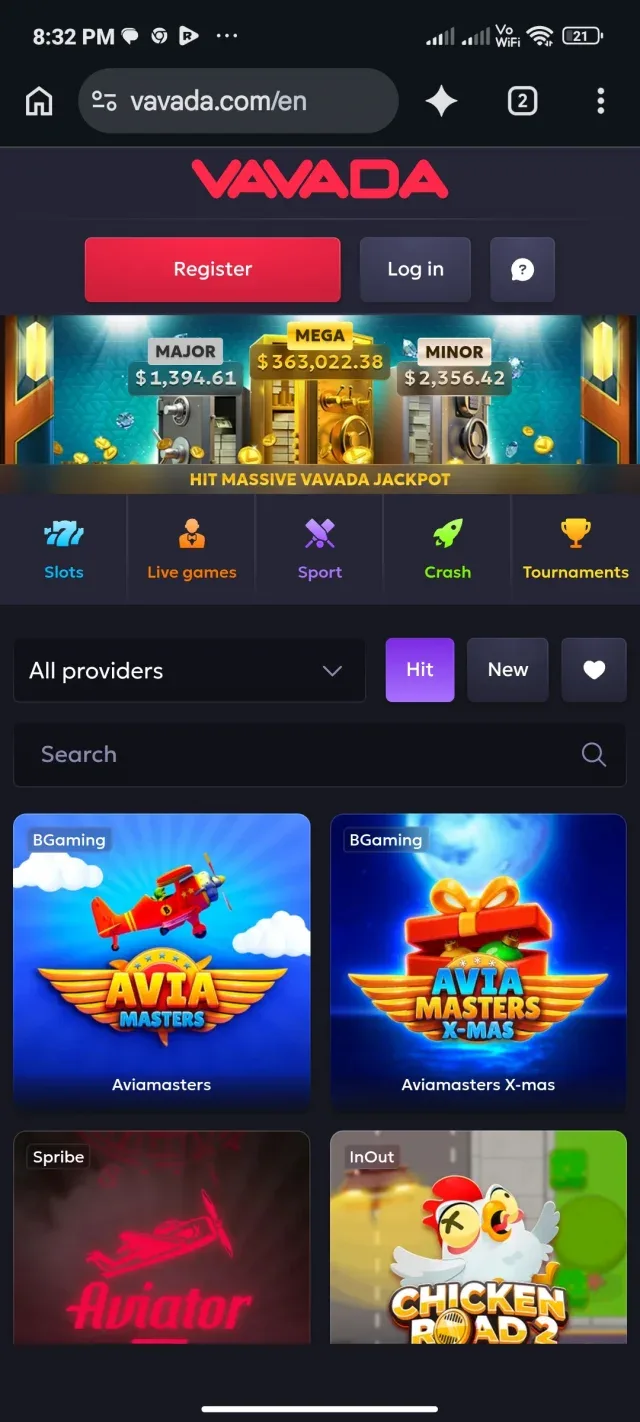
Open the Login Screen
Locate the "Log in" button at the top right of the screen (next to the red "Register" button) and tap it to open the login credentials form.
- 2
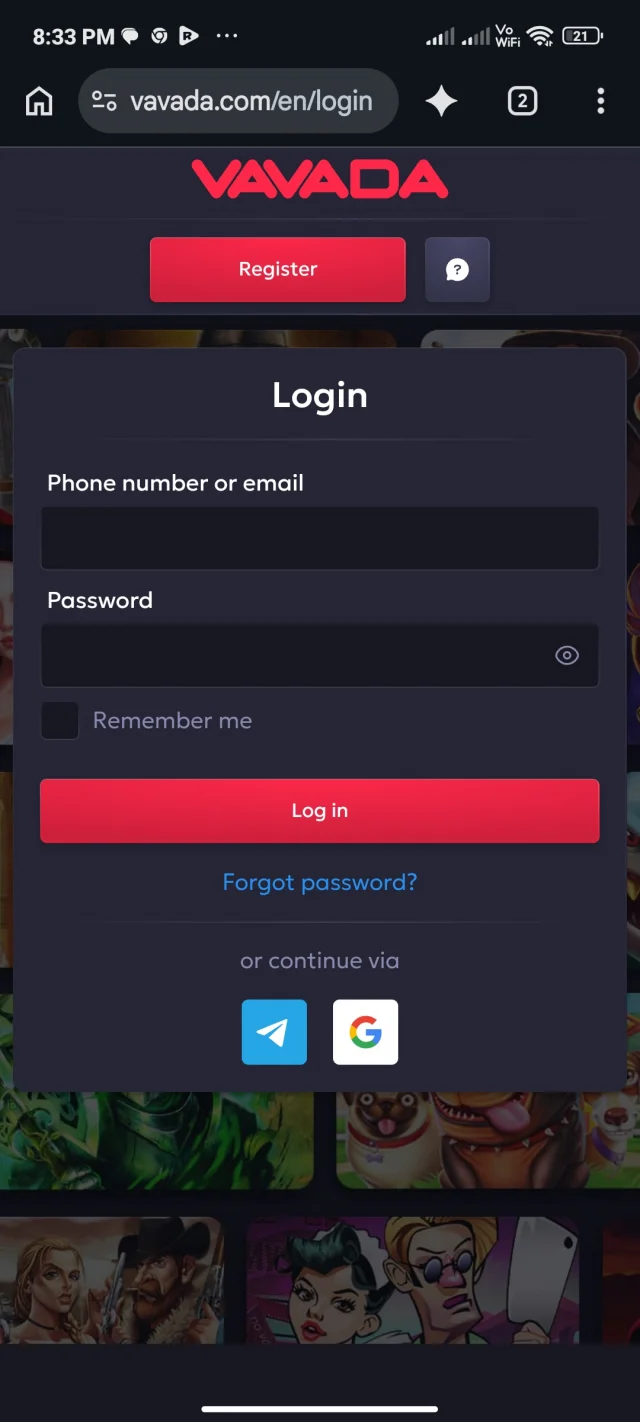
Enter Login Details and Sign In
Enter your registered phone number or email into the first field, and your account password into the password field. Once entered, tap the red "Log in" button to access your account. Alternatively, you can choose to sign in quickly using Telegram or Google via the options at the bottom.
- 3
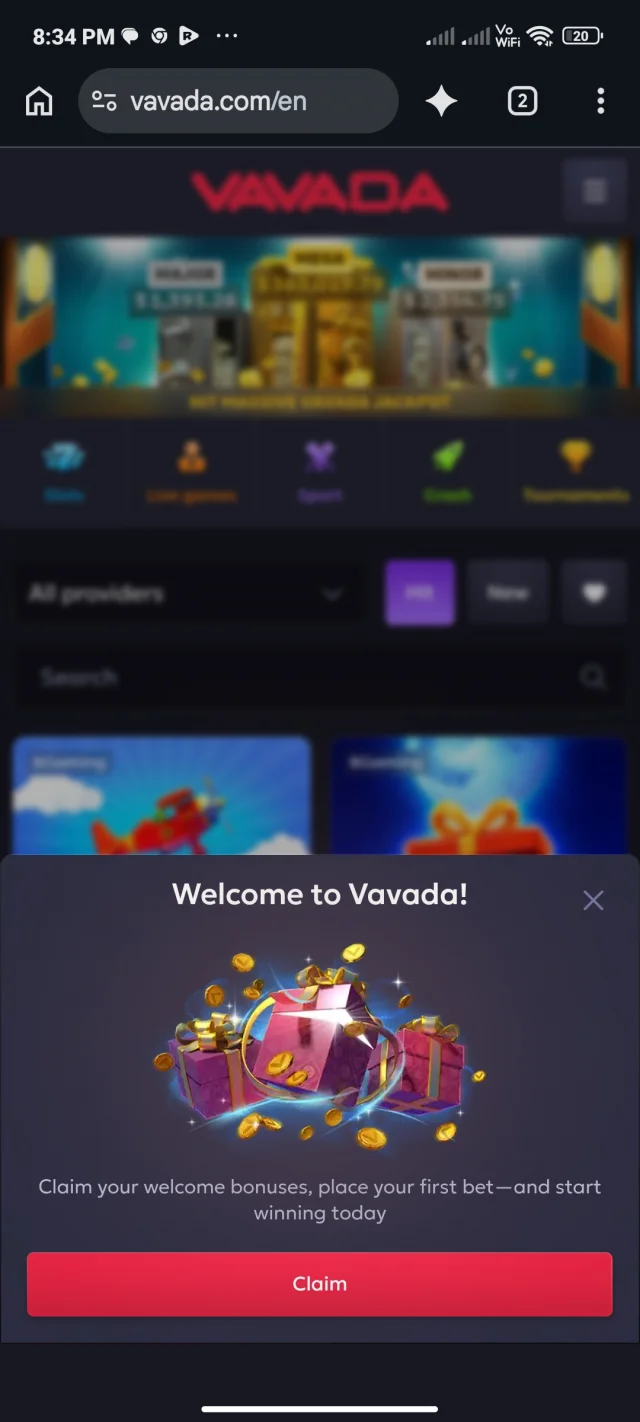
Claim Welcome Bonus
A "Welcome to Vavada!" pop-up will appear after successful login. Tap the red "Claim" button at the bottom of the window to collect your welcome bonuses and start exploring the platform. Alternatively, you can close the window by tapping the "X" in the top-right corner.
- 4
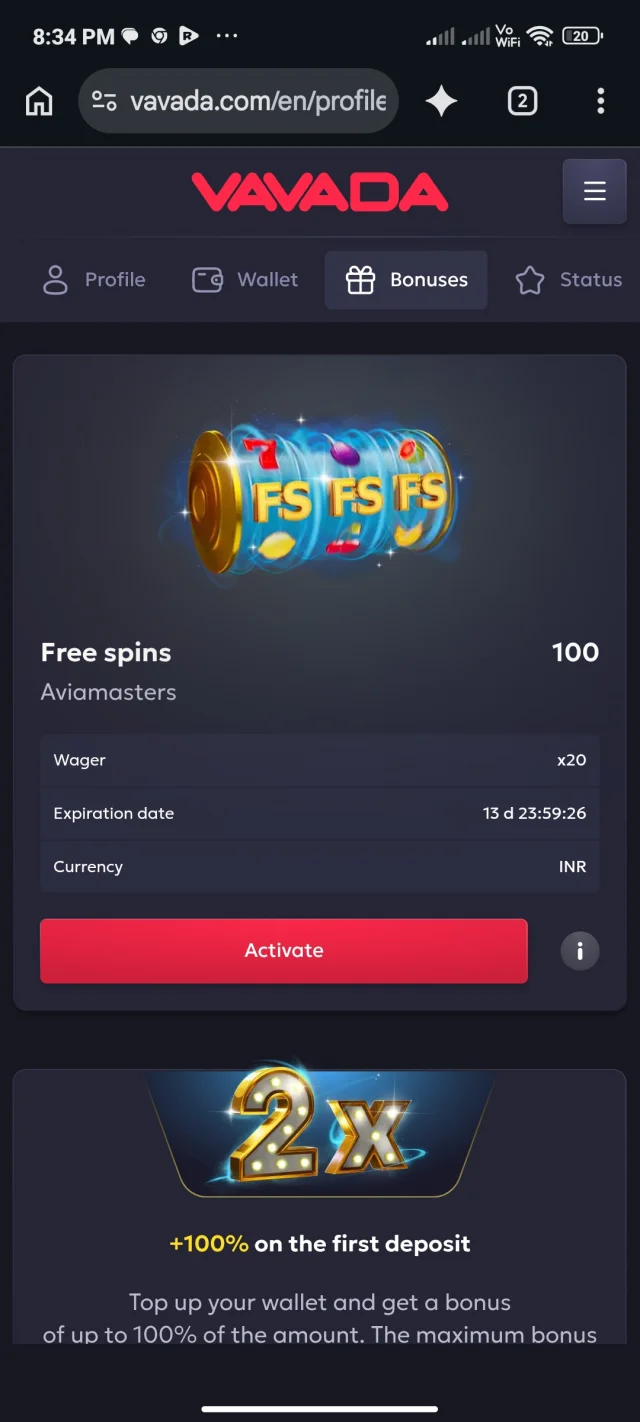
View and Activate Bonuses
Navigate to the "Bonuses" section in your profile dashboard. Review your available offers, such as free spins for Aviamasters, and tap the red "Activate" button to claim and apply the bonus to your account.
- 5
Deposit Funds into Your Wallet
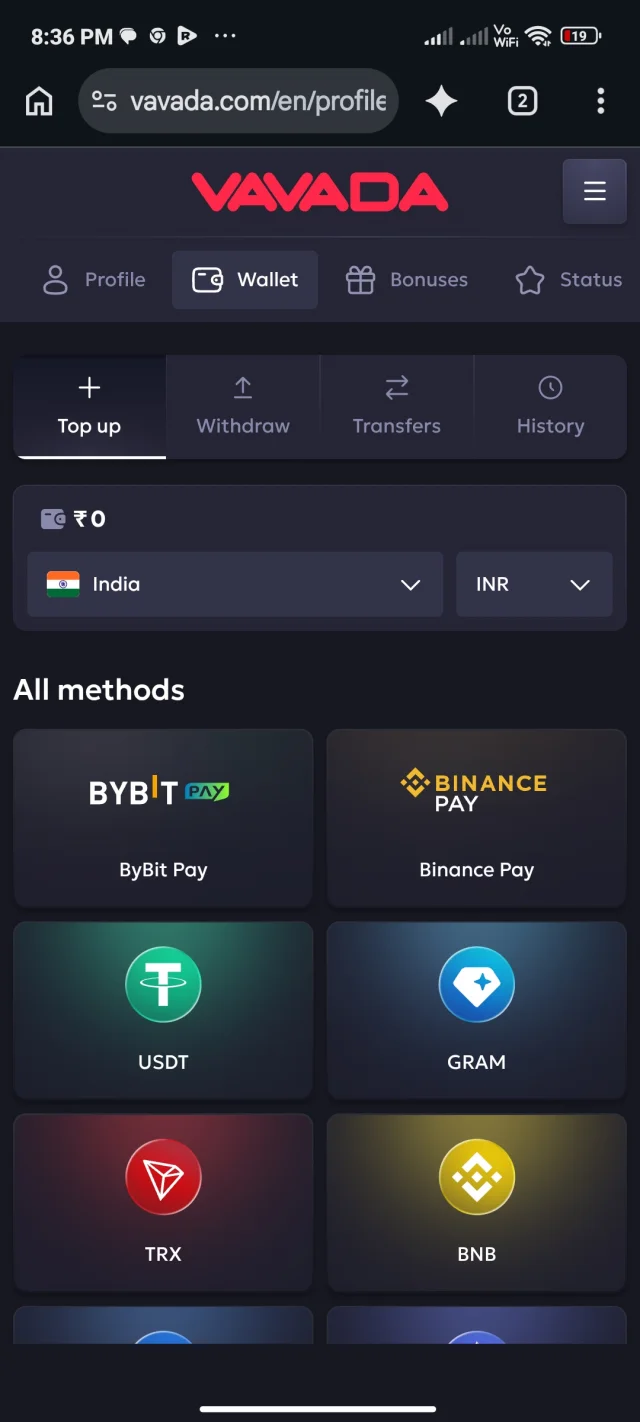
Go to the "Wallet" tab and select "Top up" to add funds to your account. Choose your preferred payment or cryptocurrency method from the available options (such as ByBit Pay, Binance Pay, USDT, GRAM, TRX, or BNB) to proceed with your transaction.
- 6
Check and Withdraw Balance
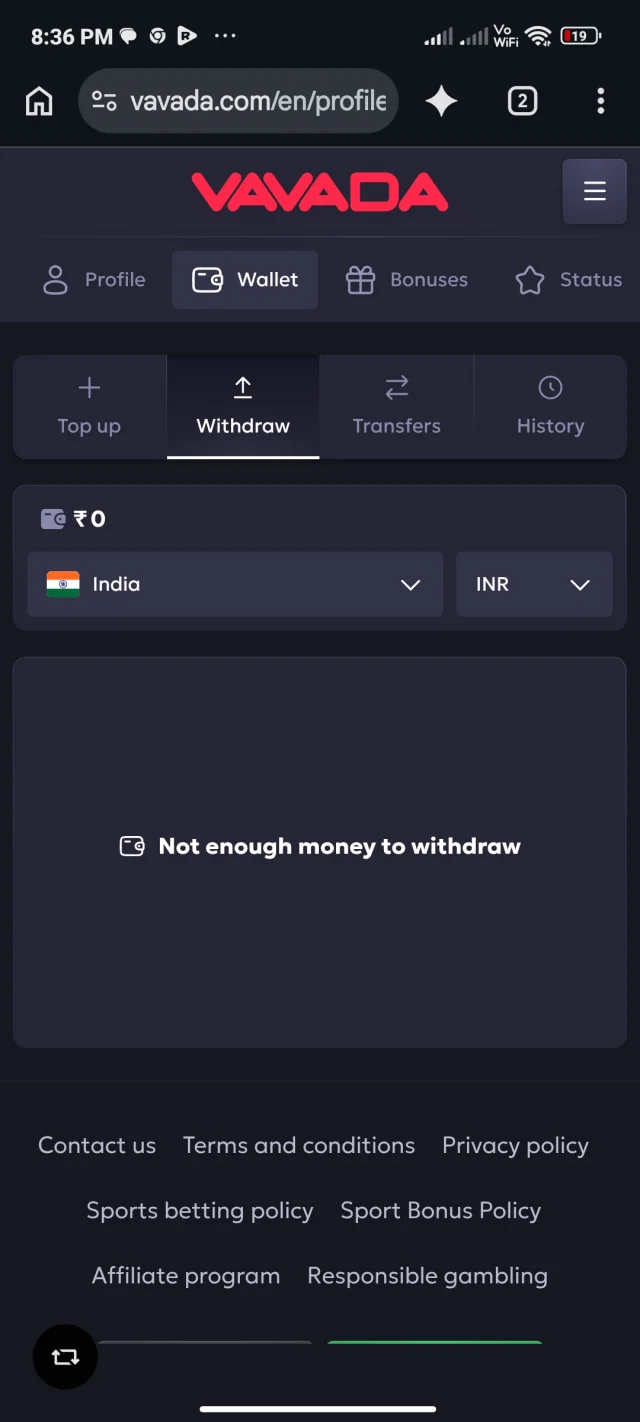
Within the wallet section, select the "Withdraw" tab. If your balance is empty or insufficient, a message reading "Not enough money to withdraw" will be displayed. You will need to top up your account or win funds before you can process a withdrawal.
- 7
View Account Number for Transfers
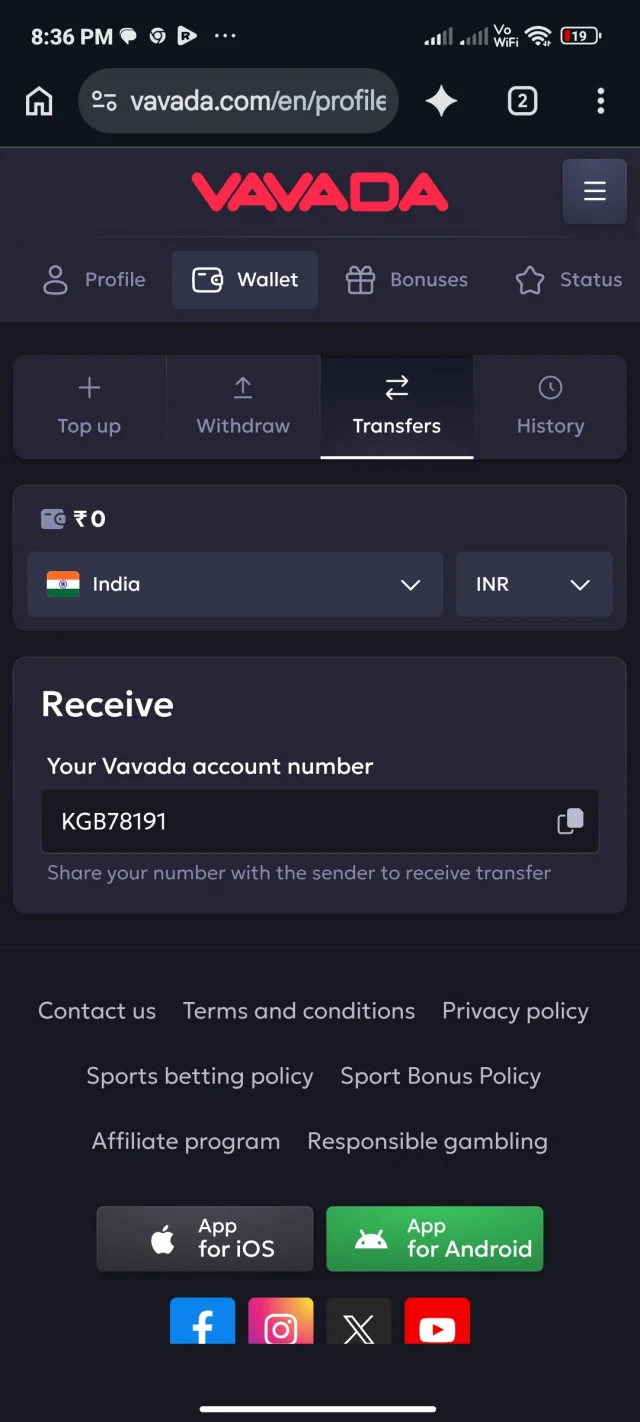
Select the "Transfers" tab within your wallet section to view your unique Vavada account number (e.g., KGB78191). You can share or copy this number to receive transfers directly from other users
- 8
Disclaimer
Accessing and using online gaming and betting platforms involves financial risk and may be subject to legal restrictions depending on your jurisdiction. Please ensure you gamble responsibly, play only with funds you can afford to lose, and check local laws before participating.
[Screenshot: Disclaimer]
Common Questions
How do I claim my welcome bonus after logging in?
How do I claim my welcome bonus after logging in?
Once you successfully log in, a welcome pop-up will usually appear on your screen. You can tap "Claim" to collect your offers, or navigate directly to your profile's "Bonuses" tab where you can review available free spins or deposit bonuses and tap "Activate" to apply them.
What payment methods are available to top up my wallet?
What payment methods are available to top up my wallet?
Platforms typically support a variety of deposit options, ranging from traditional digital payment gateways to popular cryptocurrencies such as USDT, Binance Pay, ByBit Pay, TRX, and BNB.
Why am I seeing a "Not enough money to withdraw" message?
Why am I seeing a "Not enough money to withdraw" message?
This notification appears when your current account balance is zero or below the minimum required threshold for payout. You must have a positive, winning balance or complete your initial deposits and wagering requirements before a withdrawal can be successfully processed.
Where can I find my account or user number for transfers?
Where can I find my account or user number for transfers?
You can locate your unique account identifier (e.g., KGB-format number) by opening your wallet section and selecting the "Transfers" tab, where your account number is displayed alongside a quick-copy button.
How do I secure my account login details?
How do I secure my account login details?
Always use a strong, unique password and keep your login credentials confidential. Many platforms also offer quick social or messenger authentication options (like Telegram or Google) to streamline secure sign-ins.